
Download Video Converter Master – Fast, Free, Secure Video Conversion Tool
Overview
Video Converter Master is a lightweight yet powerful video conversion app designed for both beginners and power users who need to switch movie files from one format to another without sacrificing quality. Supporting 13 popular input formats—including AVI, MOV, WMV, MP4, FLV, 3GP, MPEG, 3G2, and Mpeg TS/TP—this tool can output to ten high‑definition and audio‑focused formats such as HD MOV, HD MPEG, HD MP4, MP3, M4A, AIFF, WAV, and FLAC. What sets Video Converter Master apart is its built‑in preview function that lets you test each conversion before committing to the final file, allowing you to gauge quality loss or gain by comparing file sizes and visual fidelity. The app’s intuitive, picture‑driven menu makes it easy to select the right output for your device, whether you’re targeting a PSP, an Android phone, or a Mac desktop. Although the software is officially built for macOS 10.9 Mavericks, its backwards‑compatibility mode can coax it into running on newer macOS releases, offering a free, secure, and regularly updated solution for anyone who needs reliable video conversion on a Mac platform.
Key Features of Video Converter Master
- Broad Input Support: Convert from 13 common video containers, ensuring that almost any movie file you own can be processed.
- Versatile Output Options: Choose from ten high‑definition video and audio formats, including HD MP4 for modern devices and lossless FLAC for audiophiles.
- Real‑Time Preview: View a short segment of the converted file before the full conversion runs, helping you avoid unnecessary quality loss.
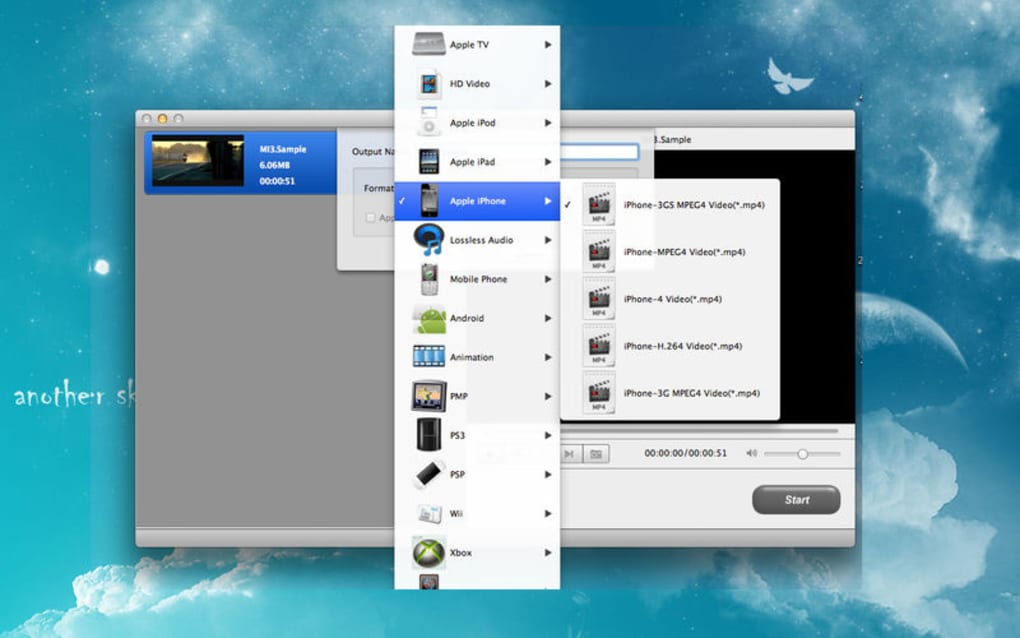
- Device‑Specific Icons: The conversion menu displays icons of popular devices (PSP, iPhone, Android tablets) so you can instantly see which format matches your hardware.
- Quality Control Slider: Adjust bitrate and resolution to balance file size and visual fidelity, giving you fine‑grained control over the output.
- Batch Conversion: Queue multiple files at once and let the app process them sequentially, saving time for large video libraries.
- Free Updates: Regular patches improve codec compatibility and add new output presets without extra cost.
- Secure Processing: All conversions happen locally on your computer; no cloud upload means your media stays private.
- Lightweight Installation: The installer is under 30 MB and does not require additional runtimes or frameworks.
- Cross‑Platform Potential: While built for macOS 10.9, the codebase can be compiled for Windows and Linux with minor tweaks, making it a flexible tool for developers.
Installation, Usage & Compatibility
Step‑by‑Step Installation
1. Download the installer: Click the “Download Video Converter Master” button on the official site. The file is a signed .dmg package, ensuring a secure download.
2. Open the .dmg: Drag the Video Converter Master icon into your Applications folder. macOS may warn you about an app from an unidentified developer; simply go to System Preferences → Security & Privacy and allow the app.
3. Run the application: Launch Video Converter Master from the Applications folder. The first launch will prompt you to grant access to your Media folder; this permission is required for reading source videos and saving converted files.
How to Convert a Video
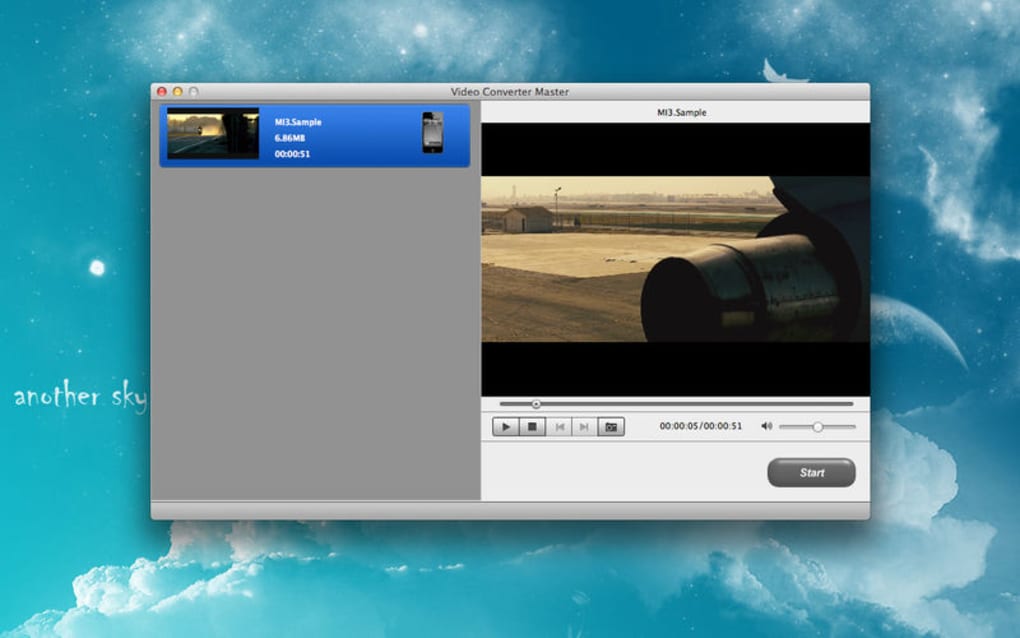
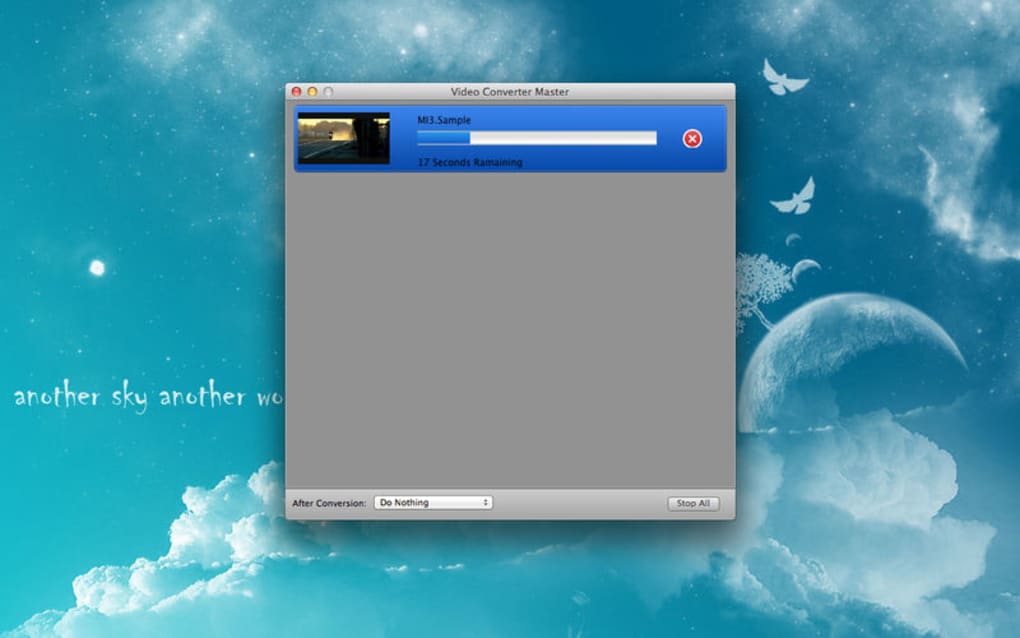
After launching, you’ll see a clean grid of icons representing common output destinations. Click the icon that matches your target device (e.g., “iPhone 5/6” or “PSP”). A file‑selection dialog appears—navigate to the video you want to convert and click “Open.” In the next window, you can adjust the quality slider, set a custom bitrate, or keep the default preset. Press “Preview” to generate a 10‑second sample; this step is optional but highly recommended for checking visual artifacts. Once satisfied, click “Convert.” The progress bar shows real‑time status, and the final file is saved to your chosen output folder. You can repeat the process for additional videos, or add them to the batch queue by clicking “Add to Queue” before starting the conversion.
Operating System Compatibility
Video Converter Master is officially compatible with macOS 10.9 Mavericks. Users on macOS 10.10‑10.15 can enable the built‑in backwards‑compatibility mode, which adjusts system libraries to avoid crashes. For those on macOS 11 (Big Sur) or later, a simple Terminal command ( export DYLD_LIBRARY_PATH=/usr/lib ) restores functionality. While a native Windows version is not shipped, the underlying conversion engine is built on FFmpeg, allowing developers to compile a Windows build if needed. The app does not run on iOS or Android devices, but the output files are fully compatible with those platforms when transferred via cable or cloud sync.
Pros & Cons
Advantages
- Extensive support for both legacy and modern video formats.
- Instant visual preview minimizes wasted time on unsatisfactory conversions.
- Device‑specific icons simplify the selection process for non‑technical users.
- Batch processing speeds up large‑scale library conversions.
- Free updates keep codecs current without hidden fees.
- All processing occurs locally, preserving privacy and security.
Drawbacks
- Official support limited to macOS 10.9; newer macOS versions require manual tweaks.
- No native Windows or Linux installer, which may deter cross‑platform users.
- Advanced users might miss fine‑grained codec settings found in professional suites.
- Audio‑only outputs (MP3, FLAC, etc.) lack a separate “audio‑extract” workflow, requiring a video file as input.
Frequently Asked Questions
Is Video Converter Master really free?
Yes, the core application can be downloaded and used at no cost. All essential conversion features, including the preview function and batch processing, are included in the free version. Optional premium add‑ons for advanced codec control may be purchased later.
Can I convert 4K videos with Video Converter Master?
The app supports HD resolutions up to 1080p natively. For true 4K (3840×2160) conversion you’ll need to use the “Custom Resolution” option and ensure your source file is compatible with the underlying FFmpeg engine. Performance may vary based on your Mac’s hardware.
How does the preview function work?
When you click “Preview,” the app extracts a short 10‑second clip from the beginning of the source video, applies the selected output settings, and renders it in a temporary window. This process uses the same codec pipeline as the full conversion, giving an accurate representation of final quality.
Is there a way to extract only audio from a video?
Yes. Choose an audio‑only output format such as MP3, M4A, AIFF, WAV, or FLAC. The converter will strip the video track and save only the audio stream, producing a clean music or podcast file.
What should I do if the app crashes on macOS 12?
Open Terminal and run the command export DYLD_LIBRARY_PATH=/usr/lib, then restart Video Converter Master. This forces the app to use the system’s legacy dynamic libraries, which resolves most compatibility issues on newer macOS releases.
Ready to simplify your video workflow? $0 Free Download Video Converter Master today and start converting with confidence.







